


What are the risks of using outdated software?

We have all been there at some point in our digital lives. A pesky pop-up notification appears on your screen, politely requesting a moment of your time to install the latest software update. With a quick click of the “Remind Me Tomorrow” button, you vanish the prompt and return to your daily routine. It feels like a minor victory over an annoying interruption, but this habitual delay might be quietly setting you up for severe digital trouble.
Software updates often feel like unnecessary chores designed to disrupt our workflow. Many users assume that if their computer or smartphone is currently functioning without obvious glitches, there is simply no urgent reason to bother with an upgrade. However, behind those seemingly dull performance patches lies your primary line of defense against an ever-evolving digital wilderness. Ignoring them is the equivalent of leaving your front door wide open while hoping nobody walks in.
Understanding the true consequences of running obsolete applications is essential for anyone using a phone, laptop, or corporate network. Beneath the surface of shiny new user interfaces lies a constant battle between cybersecurity developers and malicious hackers. When software falls behind the times, the protective walls begin to crumble fast. Here is a closer look at what happens when you let your digital tools gather digital dust.
The Open Doorway for Cybercriminals
The single most critical risk of relying on old software is vulnerability to cyberattacks. Developers constantly monitor their code to discover security flaws that could allow unauthorized access to systems. Once a flaw is identified, engineers release a security patch to fix the hole. Unfortunately, bad actors also monitor these patch releases to analyze what was fixed, allowing them to target users who have not updated yet.
When you refuse to update, you are effectively leaving known security vulnerabilities exposed to anyone scanning the web for easy targets. Cybercriminals rely heavily on automated bots that crawl the internet searching for outdated systems running vulnerable code. If your device happens to be running an unpatched application, these malicious tools can exploit the flaw in seconds without you ever knowing it happened.
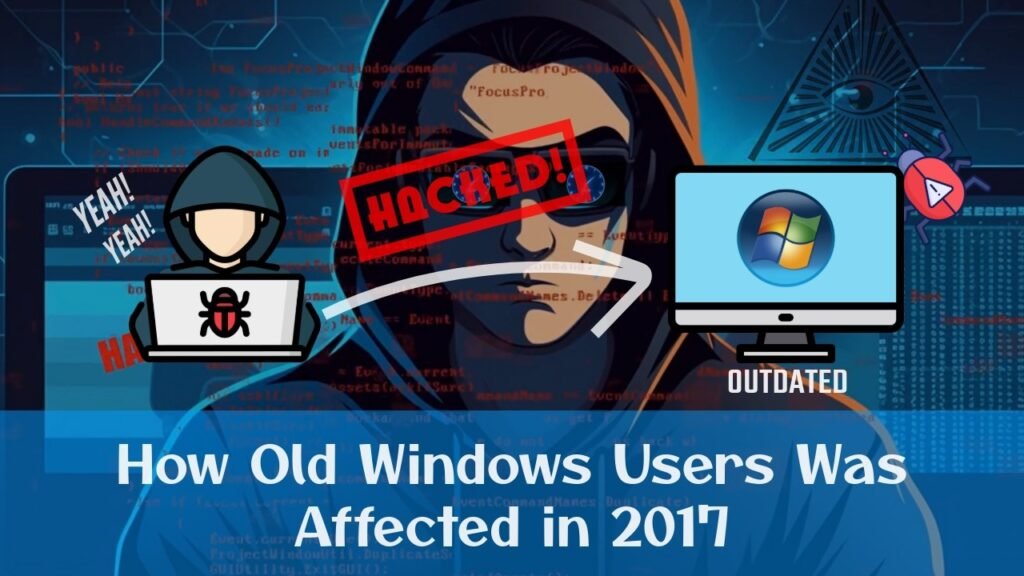
Ransomware, spyware, and data-stealing malware thrive in unpatched environments. A classic example is the infamous WannaCry ransomware attack, which crippled hundreds of thousands of computers globally by exploiting a known Windows vulnerability. Millions of dollars were lost simply because organizations failed to install a critical security patch that had already been available for months. Up-to-date software remains your cheapest and most effective shield against similar disasters.
The Slow Drain on Performance and Speed
Beyond the terrifying world of hackers and malware, outdated software severely hinders your everyday user experience. Over time, code becomes inefficient relative to the modern hardware running it. Apps start lagging, programs freeze unexpectedly, and basic tasks take twice as long to complete. What feels like an aging computer might actually just be outdated software struggling to process modern data workloads.
Developers do not just patch security bugs when they release new versions; they also optimize performance. They streamline memory usage, resolve stability issues, and fix background crashes that ruin your productivity. When you stay stuck on an old build, you miss out on speed enhancements designed to make your device run like new.
Furthermore, running old applications can drain your battery life and overheat your hardware. Inefficient code places an unnecessary burden on your device’s processor, forcing it to consume more power to achieve simple tasks. If your smartphone or laptop feels warmer than usual or dies quickly, unoptimized software updates might be the hidden culprit behind the power drain.
Incompatibility with Modern Tools
Technology moves forward at a breakneck pace, and software ecosystems depend on harmony between different tools. As new operating systems and web standards emerge, older applications slowly lose their ability to communicate with modern platforms. This leads to frustrating compatibility errors, broken document formatting, and corrupted files when attempting to share data with colleagues or friends.
For instance, opening a file created in a modern version of a app using a decade-old software release often results in missing features or scrambled text. Web browsers present a similar challenge; older browsers fail to render modern web pages correctly, breaking interactive elements and rendering essential tools completely unusable.
Eventually, developers drop support for legacy software entirely. When an application hits its official end-of-life status, third-party integration stops working, cloud syncing fails, and customer support disappears. Continuing to rely on tools that the industry has abandoned puts you in an isolated digital corner where basic tasks become needlessly complicated.
Data Loss and File Corruption
Unstable software is a major cause of unexpected crashes and data loss. As code ages without maintenance, memory leaks and system conflicts become much more frequent. If an obsolete application crashes suddenly while you are working on a critical document, you risk losing hours of work or permanently corrupting your project files beyond recovery.
Modern updates frequently improve autosave mechanisms and file handling integrity to prevent data corruption. Old builds lack these sophisticated safety nets, leaving your sensitive documents vulnerable to unexpected system shutdowns. Recovering corrupted files from outdated apps is often impossible, turning a simple software delay into a catastrophic loss of important data.
In corporate environments, data corruption caused by legacy software can bring operations to a complete halt. Databases can desynchronize, financial records can become unreadable, and customer information can be compromised. Spending a few minutes to maintain updated software is a tiny price to pay compared to the nightmare of recovering lost files.
Loss of Exciting New Features
Upgrades are not exclusively about preventing disasters and fixing technical errors; they are also designed to improve your user experience. Software development teams spend countless hours designing new features, refreshing user interfaces, and creating innovative tools aimed at making your work and creative projects easier.
By choosing to ignore updates, you miss out on useful enhancements that could dramatically boost your daily productivity. Whether it is an AI-powered editing tool, a streamlined workflow dashboard, or fresh communication features, staying current ensures you always have access to the best tools available.
Embracing updates allows you to get the absolute most value out of your technology purchases. Devices and application subscriptions are expensive, so why settle for an inferior user experience when free improvements are waiting at the click of a button? Keeping your software current ensures your digital ecosystem remains fresh, efficient, and fun to use.
Compliance and Legal Headaches for Businesses
For business owners and corporate leaders, running outdated software carries serious legal and regulatory risks. International privacy regulations mandate that organizations take reasonable technical steps to protect consumer data from unauthorized access. Failing to keep software patched and secure can be classified as gross negligence during an audit or data breach investigation.
If a company suffers a data breach because it was running unsupported software, regulators can issue massive financial penalties. Moreover, standard cybersecurity insurance policies often refuse to pay out claims if the policyholder failed to maintain basic software update protocols. A single missed update can lead to lawsuits, regulatory fines, and permanent reputational damage.
Clients and business partners expect modern security standards from the organizations they trust with their information. Demonstrating a proactive approach to cybersecurity through regular software maintenance builds trust and credibility. Keeping your systems patched is not just an IT responsibility; it is a vital business strategy that protects your organization’s bottom line.
How to Stay Safe Without the Hassle
Managing updates does not have to be an annoying or time-consuming task. Modern operating systems and mobile devices offer automated update features that handle the heavy lifting quietly in the background. Enabling automatic updates allows critical security patches to install while you sleep, ensuring your system remains protected without disrupting your daily routine.
For applications that require manual updating, set a recurring calendar reminder once a month to check for patches. Take a few minutes to update your web browsers, office tools, and security software in one quick session. Taking charge of your digital maintenance guarantees peace of mind while keeping your devices fast, secure, and ready for whatever comes next.